Separate personal and business finances with spaces
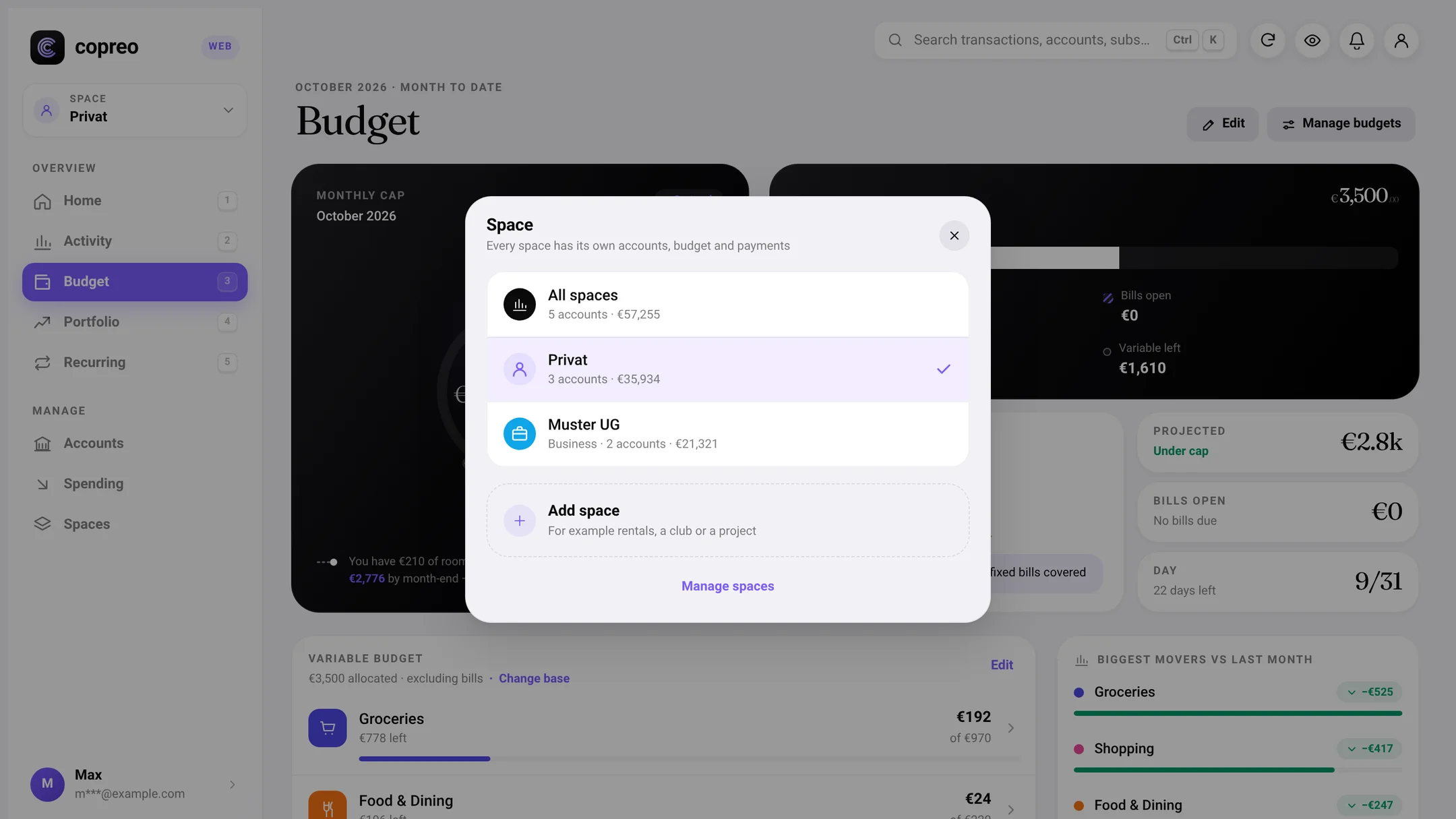
With spaces you can separate personal and business finances in Copreo: every space has its own accounts, its own budget and its own recurring payments. At the top of the home screen you switch between spaces or see all of them together. Spaces are included at no extra cost, in the free month and in the subscription.
| Question | Answer |
|---|---|
| What does each space have of its own? | Its own accounts, its own budget and its own recurring payments |
| What follows the selected space? | Activity, subscriptions, portfolio and search |
| What is a space called? | Whatever you like, such as Rental, Club or Project; its type is “Personal” or “Business” |
| How many spaces? | As many as you need |
| What does it cost? | Nothing extra: included in your access, in the free month and in the subscription at €2.99 a month |
| Where do I set them up? | In the app under Account › Connections › Spaces, or in Copreo Web |
What spaces are
A space is a separate part of Copreo with its own accounts, its own budget and its own recurring payments. This lets you separate personal and business spending through your accounts: the current account for everyday life sits in the space “Personal”, and the account your self-employed work runs through sits in a business space of its own.
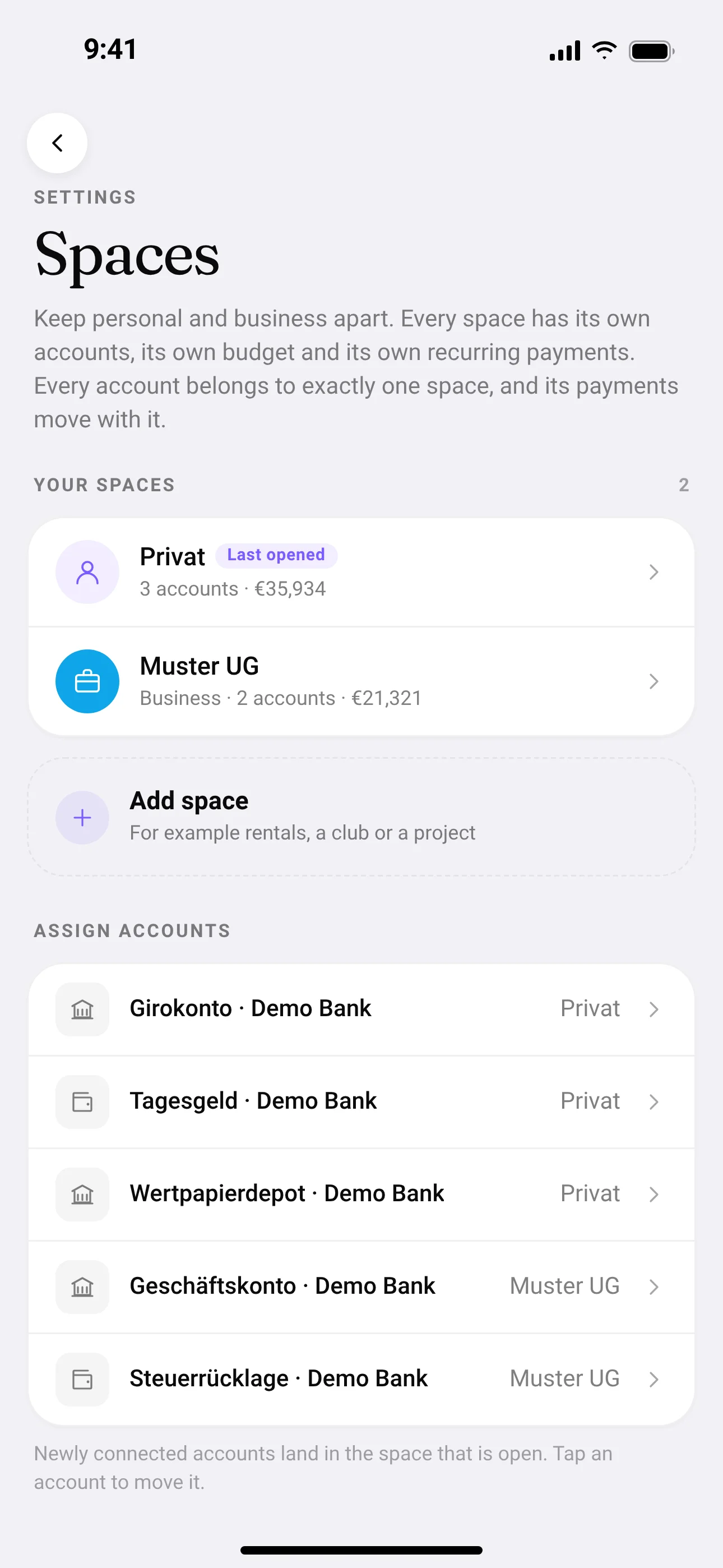
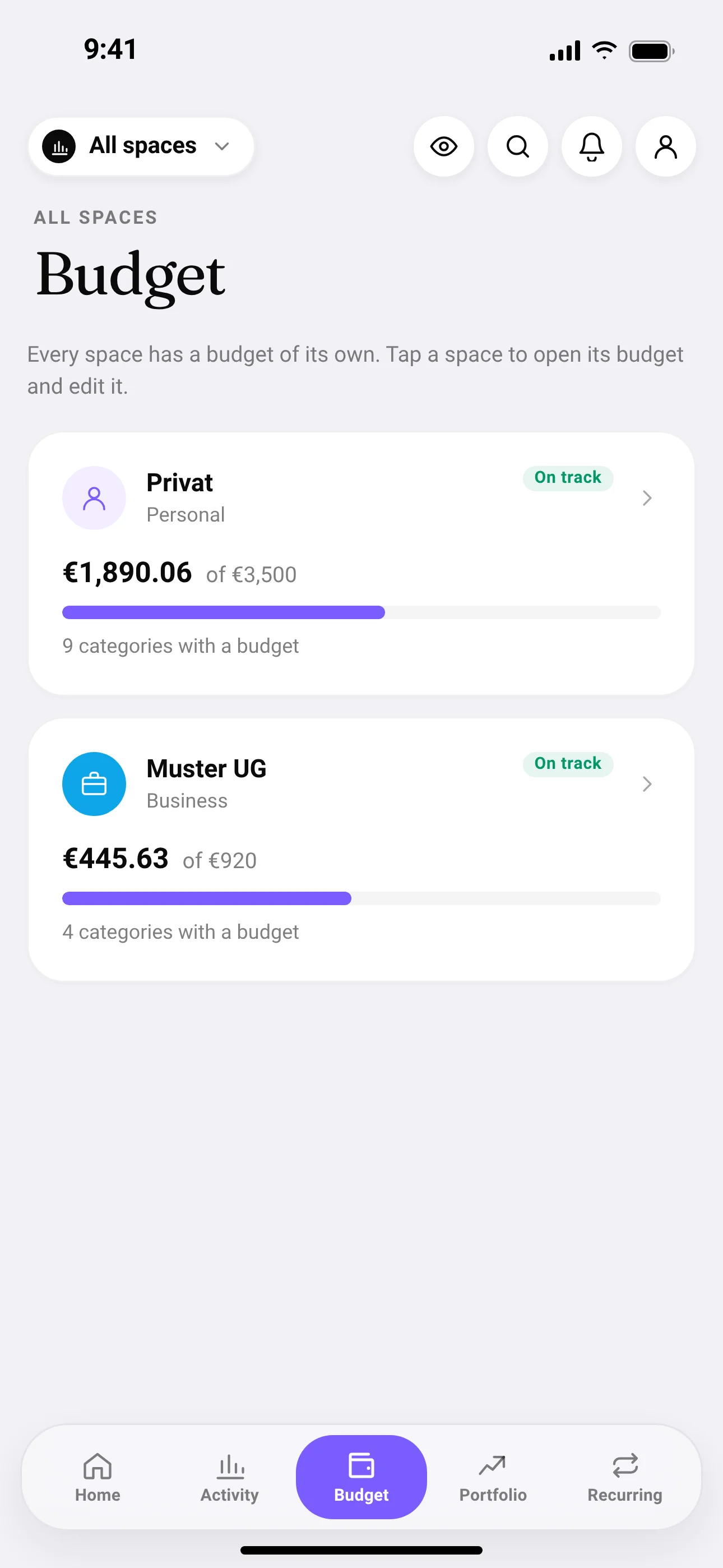
When you pick a space at the top of the home screen, activity, subscriptions, portfolio and search follow it. You then only see what belongs to that space. Choose “All spaces” to see everything together. There is no combined budget there; instead you get one budget card per space. With “Open with all spaces” the home screen always opens with all spaces, otherwise with the space you picked last.
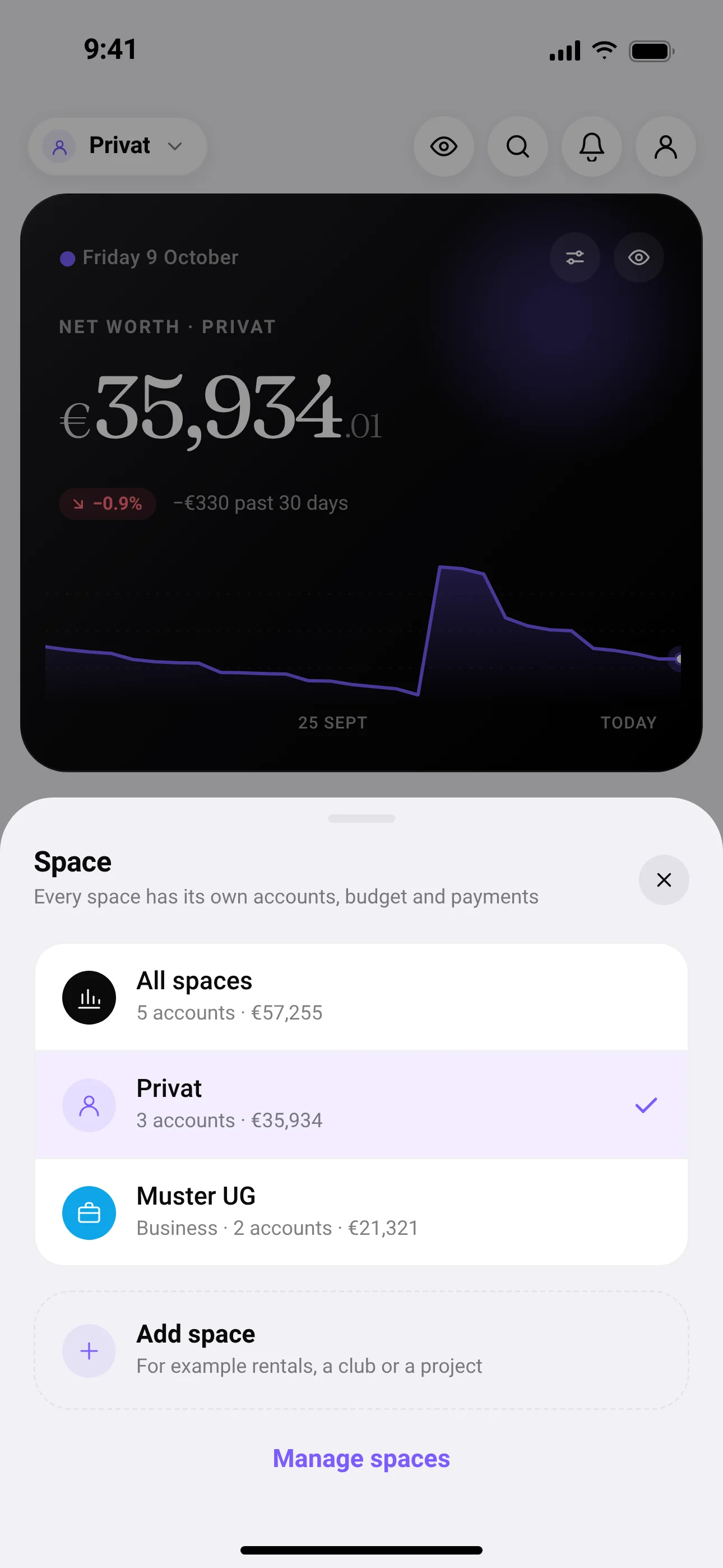
A few rules keep things clear:
- An account always belongs to exactly one space. You can move it to another space at any time, and its payments move with it.
- You choose the name freely, for example Rental, Club or Project. The type is always “Personal” or “Business”.
- The default space is called “Personal” at first. You can rename it, but not delete it.
- As many spaces as you need.
Set up in three steps
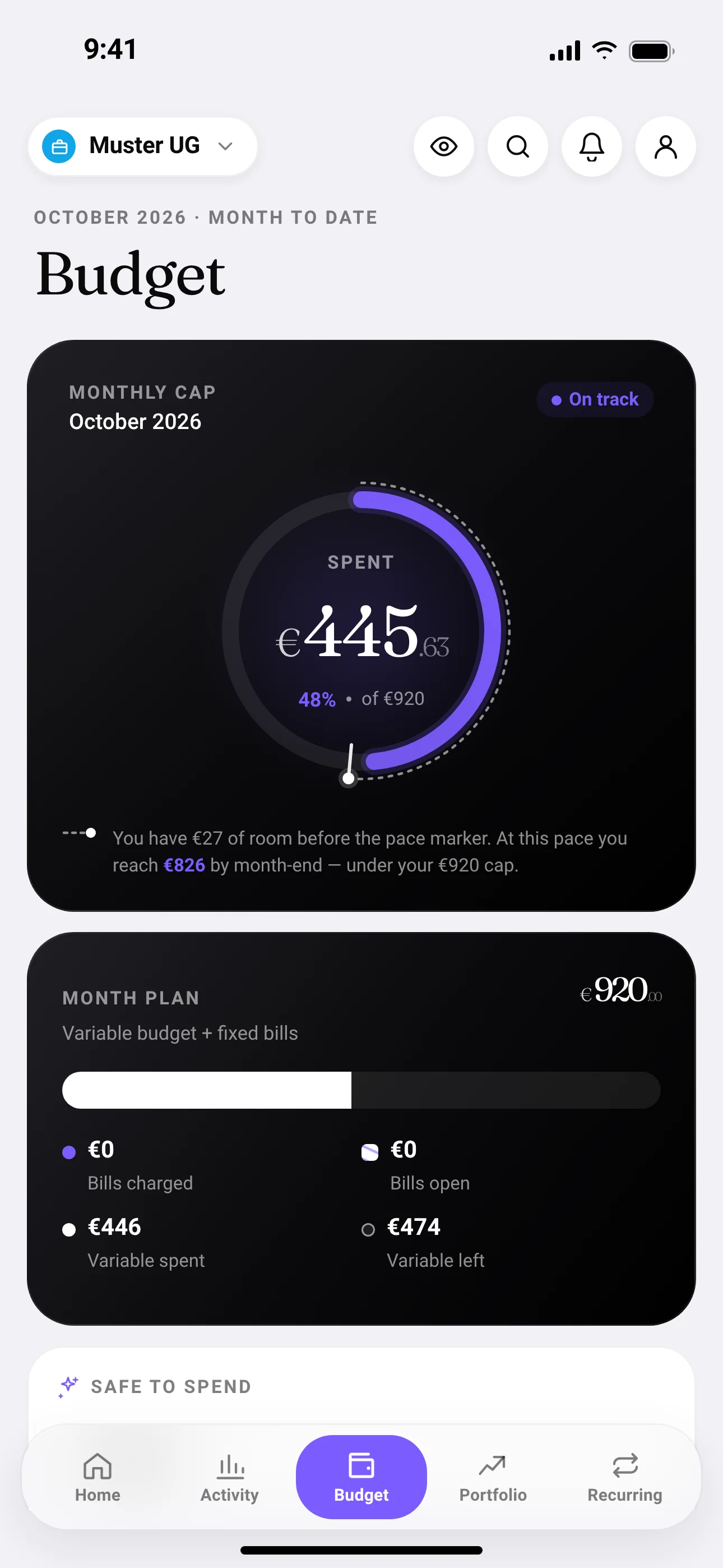
- Add a space: in the app under Account › Connections › Spaces, or tap the space at the top of the home screen and choose “Manage spaces”. Tap “Add space”, give it a name and pick its type, “Personal” or “Business”.
- Assign accounts: move the accounts you use for business into the new space. Their payments move with them. If you connect a new account in the app while a specific space is open, it lands there.
- Set a budget: open the space and create its own budget there. Your personal budget stays as it is.
Who spaces are for
- Self-employed people and freelancers with an account of their own for the business: income and spending from self-employment stay out of the personal budget.
- Side businesses: if you sell things or take on jobs next to your main job and use a separate account for it, you see its figures apart from your salary account.
- Rental property: rent coming in, service charges and reserves in a space called Rental, separate from your living costs.
- Club or project: an account you run for a club or a joint project gets a space of its own with its own budget.
What spaces are not
- Not bookkeeping. Copreo is not accounting software and replaces neither bookkeeping nor a tax return. Spaces give you an overview, not receipts or annual accounts.
- Not a separate connection for business banks. Copreo connects banks through their access for personal customers. Whether your business account can be connected depends on whether your bank offers it through that access.
Spaces in Copreo Web
In Copreo Web in the browser you can also create spaces, rename them, change their type, delete them and move accounts between spaces. You see budget and recurring payments per space there too.
Frequently asked questions
Do spaces cost extra?
No. Spaces are included in your access, in the free month for new users and in the subscription at €2.99 a month. There is no pro tier.
How many spaces can I create?
As many as you need. Each account belongs to exactly one space.
Can I connect my business account?
That depends on your bank. Copreo connects banks through their access for personal customers. If your bank offers your business account through that access, you can connect it and put it in a business space. Access channels meant only for business customers cannot be connected.
Are spaces available in Copreo Web?
Yes. In the browser you create spaces, rename them, change their type, delete them and move accounts. Budget and recurring payments are shown per space there as well.
What happens when I delete a space?
Its accounts and recurring payments go back to the default space, and the transactions are kept. The budget of the deleted space is deleted. You cannot delete the default space itself.
Sources
- Copreo Terms and Conditions (version of 16 September 2026), § 6 price and free month — SpuhlerLabs UG · retrieved on 29 October 2026